
Download Braincast – AI Learning Tool for Enhanced Comprehension
Overview of Braincast
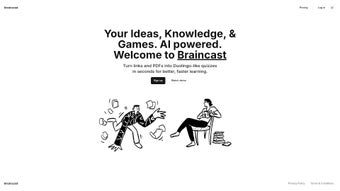
Braincast is an innovative, AI‑powered web application that reshapes the traditional study routine into an interactive, game‑like experience. By converting any textual material—whether it’s a web article, a research paper, a textbook chapter, or a PDF document—into bite‑sized quizzes, Braincast mirrors the engaging style of popular language‑learning apps such as Duolingo and Memrise. The platform’s core mission is to boost both comprehension and retention, making learning feel less like a chore and more like a rewarding challenge.
Thanks to a subscription‑based model, users gain unlimited access to the AI engine that automatically extracts key concepts, formulates multiple‑choice questions, and even adjusts difficulty based on performance trends. The result is a highly personalized learning journey that adapts to each individual’s pace, preferred subjects, and knowledge gaps.
Whether you’re a high‑school student preparing for finals, a university researcher trying to master a dense literature review, a professional seeking continuous education, or a lifelong learner exploring new hobbies, Braincast promises a seamless bridge between raw information and meaningful mastery. Its cloud‑first architecture ensures that the service works on any modern browser, while the AI backend continuously learns from user interactions, delivering smarter quizzes over time.
The platform also respects privacy: all data is encrypted in transit and at rest, and users retain full control over their content.
In short, Braincast stands out as a versatile, secure, and constantly evolving educational companion designed for anyone who wants to turn reading into an active, memorable experience. The combination of AI‑driven content parsing, gamified feedback loops, and cross‑device synchronization creates an ecosystem where studying becomes both efficient and enjoyable, helping users stay motivated throughout long‑term learning projects.
Key Features That Set Braincast Apart
- AI‑Driven Content Parsing: The system scans URLs, PDFs, and plain‑text inputs to identify core concepts, terminology, and factual statements, then auto‑generates relevant quiz items.
- Gamified Quiz Engine: Questions appear in a sleek, interactive format with instant feedback, streak tracking, and achievement badges that motivate continued practice.
- Adaptive Difficulty: Machine‑learning algorithms analyze answer patterns and automatically raise or lower question complexity to keep learners in the optimal “zone of proximal development.”
- Multi‑Subject Support: From STEM topics and language arts to history and soft‑skill training, Braincast handles any discipline without needing separate modules.
- Personalized Study Paths: Users can create custom playlists, set daily goals, and receive recommendations based on past performance and upcoming deadlines.
- Cross‑Platform Accessibility: The web app runs smoothly on Windows, macOS, Linux, Android, and iOS browsers, ensuring a consistent experience across devices.
- Secure Cloud Storage: All user data—including quiz results and progress logs—are encrypted at rest and in transit, complying with GDPR and CCPA standards.
- Regular Updates & Community Content: Monthly AI model upgrades improve question quality, while a community forum lets users share custom quizzes and study tips.
- Teacher Mode & Class Management: Instructors can upload course materials, assign quizzes to groups, and monitor class‑wide performance through a dedicated dashboard.
- Export & Integration Options: Completed quizzes and performance reports can be exported as CSV or PDF, and the platform offers API hooks for LMS integration.
These features collectively make Braincast more than just a quiz generator; they create an ecosystem where learning becomes a dynamic, data‑driven activity. The AI engine’s ability to understand context means that even dense academic papers are broken down into digestible, recall‑focused prompts. Meanwhile, the gamified layer keeps motivation high, turning repetitive study sessions into a series of achievable milestones.
For educators, the “Teacher Mode” provides granular insight into student progress, allowing for targeted interventions and personalized feedback. The export capabilities also mean that learners can retain a permanent record of their achievements, useful for resumes or portfolio building.
Furthermore, the regular AI updates ensure that the question bank stays current with evolving curricula and industry trends. Community‑driven content adds a social dimension, encouraging users to collaborate, share study strategies, and co‑create quizzes that reflect real‑world applications.
Altogether, Braincast’s comprehensive feature set addresses the needs of individual learners, educators, and corporate training programs alike, positioning it as a leading tool in the AI‑enhanced education market.
Installation, Usage & Compatibility
Getting Started – A Step‑by‑Step Guide
Because Braincast is a web‑based service, there is no traditional software download required. Users simply visit braincast.io, click the “Sign Up” button, and choose a subscription tier that fits their needs. After confirming the email address, the user can immediately start importing content. The interface offers three primary import methods:
- URL Import: Paste any publicly accessible web link, and Braincast will crawl the page, extract the main text, and generate a quiz in seconds. This method works especially well for news articles, blog posts, and open‑access journal pages.
- PDF Upload: Drag‑and‑drop a PDF file (up to 50 MB) into the designated area; the AI parses the document, recognizing headings, bullet points, tables, and even mathematical notation where possible.
- Manual Text Entry: For personal notes, lecture slides, or unpublished material, paste the text directly into the editor and hit “Create Quiz.” The system will segment the content into logical sections before generating questions.
Once the quiz is generated, learners can start answering immediately or schedule a study session for later. The platform also provides a “Review Mode” where users can revisit previously attempted quizzes, view detailed explanations, and track progress over time. Additional features include a “Focus Timer” for Pomodoro‑style study bursts and a “Bookmark” function that lets users flag challenging questions for later review.
Compatibility Across Devices
Braincast is built on responsive web technologies (HTML5, CSS3, and modern JavaScript frameworks), guaranteeing full functionality on the following operating systems and browsers:
- Windows 10/11 – Chrome, Edge, Firefox, or Opera
- macOS Monterey and later – Safari, Chrome, or Firefox
- Linux distributions – Chrome, Firefox, or Chromium
- Android 8.0+ – Chrome or any WebView‑enabled browser
- iOS 13+ – Safari or Chrome
The experience is identical whether you are on a desktop, laptop, tablet, or smartphone, making it ideal for on‑the‑go learning. Because the application is cloud‑hosted, there are no heavy local installations, and all updates are applied instantly on the server side. This eliminates the need for manual patches or version checks, ensuring users always work with the latest AI model and feature set. Offline access is limited to previously saved quizzes, which can be cached for short‑term review, but full content generation requires an active internet connection.
Pros and Cons – A Balanced Assessment
Advantages of Using Braincast
- Highly Personalized Learning: Adaptive algorithms tailor difficulty to each user’s performance, ensuring optimal challenge.
- Time‑Saving Content Conversion: Instantly turn articles, PDFs, and web pages into quizzes without manual question writing.
- Gamified Motivation: Streaks, badges, leaderboards, and progress charts keep learners engaged and eager to return.
- Broad Subject Coverage: No need for separate tools for different disciplines; the AI handles STEM, humanities, and soft‑skill content alike.
- Secure Cloud Infrastructure: Data encryption, GDPR/CCPA compliance, and user‑controlled data export provide peace of mind.
- Cross‑Device Sync: Seamless transition between desktop, tablet, and mobile ensures study sessions can happen anywhere.
- Educator‑Friendly Dashboard: Teachers can assign quizzes, monitor class performance, and generate printable reports.
- Community‑Driven Content: Users share custom quizzes and study tips, fostering a collaborative learning environment.
Potential Drawbacks to Consider
- Subscription Cost: While a 14‑day free trial is available, full access requires a monthly or annual fee, which may be a barrier for budget‑conscious students.
- Dependence on Internet: As a web‑only service, offline usage is limited to cached quizzes; full functionality requires a stable connection.
- AI Misinterpretations: Occasionally, the algorithm may generate ambiguous or overly simplistic questions from highly technical or nuanced texts, requiring manual correction.
- Learning Curve for Educators: Teachers may need time to master the class‑management dashboard and to integrate Braincast into existing curricula.
- Limited Export Formats: While CSV and PDF are supported, some users request integration with proprietary LMS platforms that are not yet available.
Overall Rating: 4.5/5 – Braincast delivers a fresh, AI‑driven approach to study that feels both modern and effective. Its strengths in personalization and gamification outweigh the minor inconveniences of subscription pricing and occasional AI quirks.
FAQ and Final Thoughts – Your Next Step
Can I use Braincast with copyrighted material?
Yes, Braincast respects intellectual property. The platform only processes content you upload or link to, and it does not store the original files after quiz generation unless you explicitly save them in your personal library.
Is there a free version of Braincast?
Braincast offers a 14‑day free trial with full feature access. After the trial, you’ll need to choose a paid subscription to continue generating unlimited quizzes.
How does Braincast ensure the security of my data?
All user data is encrypted both in transit (TLS 1.3) and at rest (AES‑256). The service complies with GDPR and CCPA, giving you control over data export and deletion.
Can teachers track class performance?
Yes, the “Teacher Mode” provides a dashboard where instructors can assign quizzes, monitor completion rates, and view aggregate scores for each student.
What browsers are officially supported?
Braincast works best on the latest versions of Chrome, Firefox, Safari, and Edge. Older browsers may experience reduced performance or missing features.
Conclusion – Why You Should Try Braincast Today
In a world where information overload is the norm, Braincast offers a smart, gamified shortcut to turning raw text into lasting knowledge. Its AI engine, combined with a user‑centric design, means you spend less time drafting flashcards and more time actually learning. Whether you’re a student cramming for finals, a professional upskilling for a promotion, or a curious mind exploring new topics, the platform adapts to your rhythm and rewards consistency.
The subscription model ensures continuous AI improvements and fresh content updates, keeping the learning experience fresh and effective. Ready to transform the way you study? Sign up for the free trial today and experience AI‑driven comprehension like never before.



.png)



